
Lesson 8 of 9 · 28m
The Unix Text Toolkit: grep, sed, awk, and jq
Each tool's lane, the flags you'll actually use, and the incident-response pipelines that answer questions in seconds instead of scripts.
It's 2 a.m., the API is throwing 502s, and you have a 3 GB nginx access log. The question is "which clients are getting errors, and since when?" A pipeline answers that in ten seconds. A Python script answers it in fifteen minutes, after you've debugged the script. The Unix toolkit is less about regex and more about composition. Each tool does one job, and the pipe glues them together.
Know the lanes
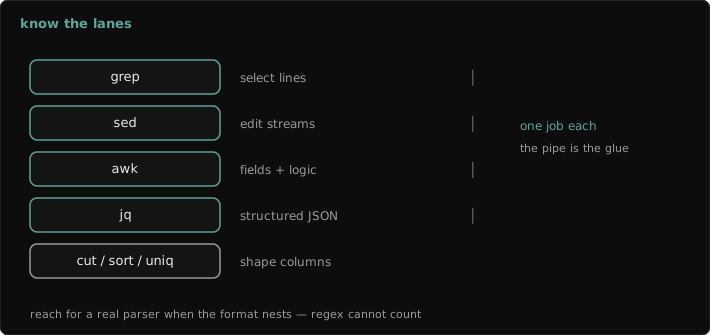
- grep selects lines.
- sed edits a stream: substitute, delete, or print ranges.
- awk works with fields and aggregates: columns, sums, counts, grouping.
- jq handles structured JSON. Once the data is JSON, stop treating it as lines.
grep: the flags that matter
grep -rn --include='*.py' 'verify=False' src/          # recursive, line numbers, only .py files
grep -c '" 502 ' /var/log/nginx/access.log              # count matching lines
grep -oE 'request_id=[0-9a-f-]{36}' app.log | sort -u   # print only the matched text
grep -B2 -A15 'Traceback' worker.log                    # context before/after each hit
grep -F -f blocked_ips.txt access.log                   # many fixed strings from a file, very fast
For source trees, rg (ripgrep) respects .gitignore, skips binaries, and runs in parallel. It's the right default for code. Plain grep is the right default for logs on a box where you can't install anything.
sed: substitutions and ranges
sed -n '/^2025-03-14T09:2/,/^2025-03-14T09:3/p' app.log           # print a time window
sed -E 's/(password|token|secret)=[^& ]+/\1=REDACTED/g' access.log  # scrub before sharing
sed -i.bak -E 's/^#?PermitRootLogin .*/PermitRootLogin no/' /etc/ssh/sshd_config
-i.bak (suffix attached) works on both GNU and BSD sed and leaves a backup. On config files you care about, always leave a backup.
awk: fields and aggregation
# Top client IPs getting 5xx. Combined log format: $1 = client IP, $9 = status, $10 = bytes
awk '$9 ~ /^5/ {print $1}' access.log | sort | uniq -c | sort -rn | head -20

# Bytes served per status code
awk '{bytes[$9] += $10} END {for (s in bytes) printf "%s %d\n", s, bytes[s]}' access.log

# TSV with a header row, explicit separator
awk -F'\t' 'NR > 1 && $4 > 1000 {print $1, $4}' export.tsv
jq: stop grepping JSON
kubectl get pods -A -o json | jq -r '.items[]
  | select(.status.phase != "Running")
  | "\(.metadata.namespace)/\(.metadata.name)  \(.status.phase)"'

jq -c 'select(.level == "error" and .latency_ms > 500)' app.jsonl     # JSON-lines logs
jq --arg uid "$USER_ID" 'select(.user_id == $uid)' app.jsonl          # pass shell values safely
Field notes
uniqonly collapses adjacent duplicates. It's alwayssort | uniq -c | sort -rn.- Single-quote awk and jq programs. Otherwise the shell expands
$1and$uidbefore the tool sees them. - Never splice shell variables into a jq or awk program string. Use
jq --argandawk -v name="$val". - In scripts,
set -o pipefail. Otherwise a failedgrepin the middle of a pipeline reports success.